 MicrosoftCopilot Studio
Giving agents their own computer
Agents that operate websites and desktop apps
Computer use lets agents in Microsoft Copilot Studio operate websites and desktop apps the way a person does.
I was the lead designer from private preview through general availability, owning setup, credentials, testing, and the hosted browser experience.
- Role
- Lead designer
- Team
- PM, engineering, research, content
- Timeline
- 2025–2026
- Status
- Shipped
Overview
The model could use a browser. Makers needed everything around it.
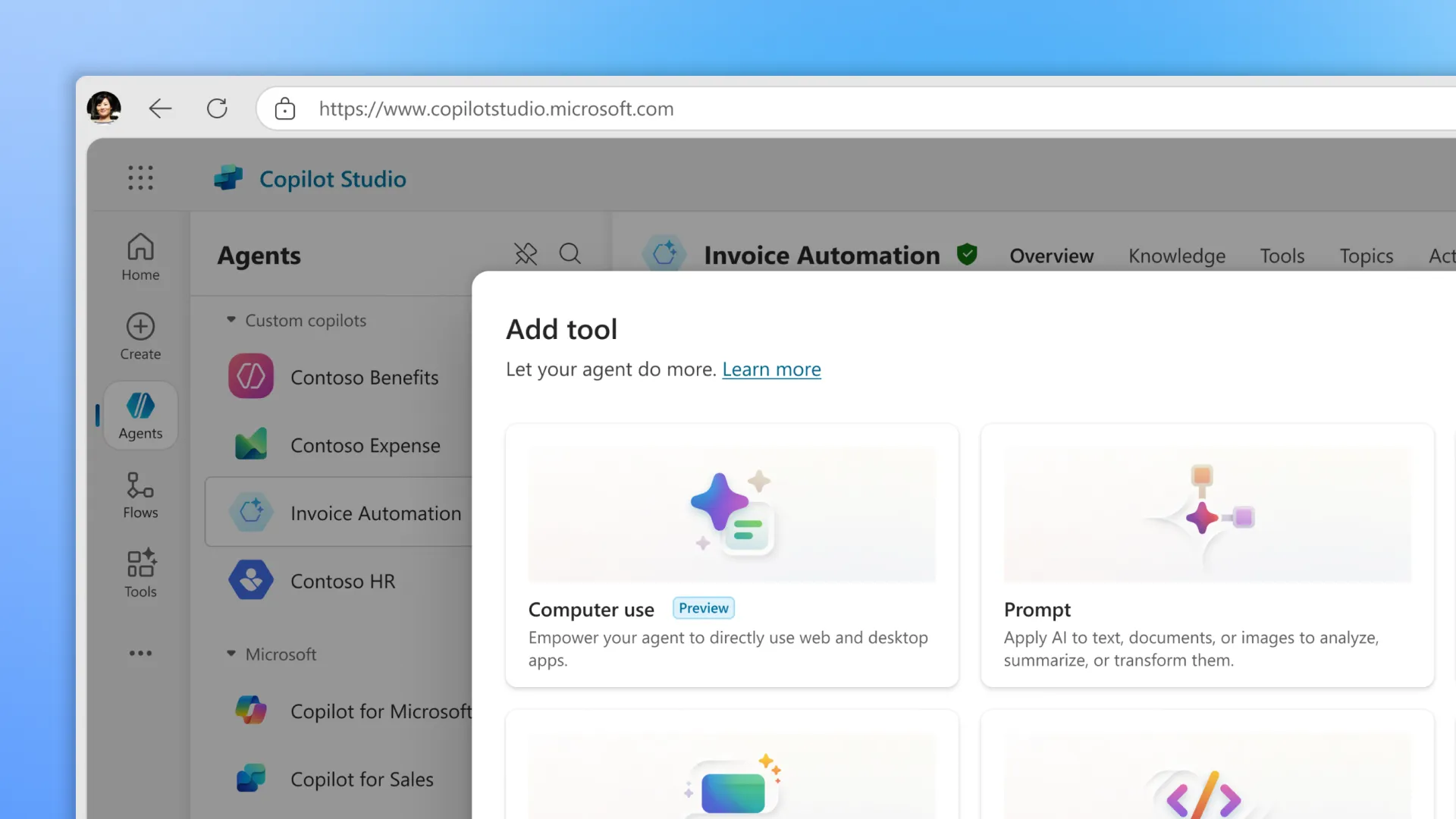
Computer use gives a Copilot Studio agent its own computer. A maker describes a task in plain language. The agent then clicks, types, and reads the screen to get it done. It’s built for the work traditional automation handles badly: apps with no API, and interfaces that change often.
The model could already operate a browser. The product work was everything a maker needs around it: telling the agent what to do, giving it a machine, signing it into systems safely, testing behavior that isn’t the same twice, and understanding what happened when a run went wrong. Computer use was a new kind of tool for Copilot Studio, so most of that had to be designed from scratch. My job was to get a first-time maker from an idea to a working run.
I owned authoring and configuration, testing, human-in-the-loop states, credentials, allow-lists, and the hosted browser experience. I partnered with another design team on run history and observability. Private preview shipped in under 100 days. I designed that release, the public preview, and the longer-term vision in parallel, so engineering could see where the product was heading before they built each step.
Security
Giving agents a safe way to sign in
During private preview, our research team ran one-on-one walkthroughs with customers. Watching the recordings with my PM, I noticed something in a few of them: makers were typing passwords straight into the agent’s instructions. It was the easiest way to get the agent signed in, and it worked. It also put credentials in plain text, in a field that gets shared, copied, and sent to a model.
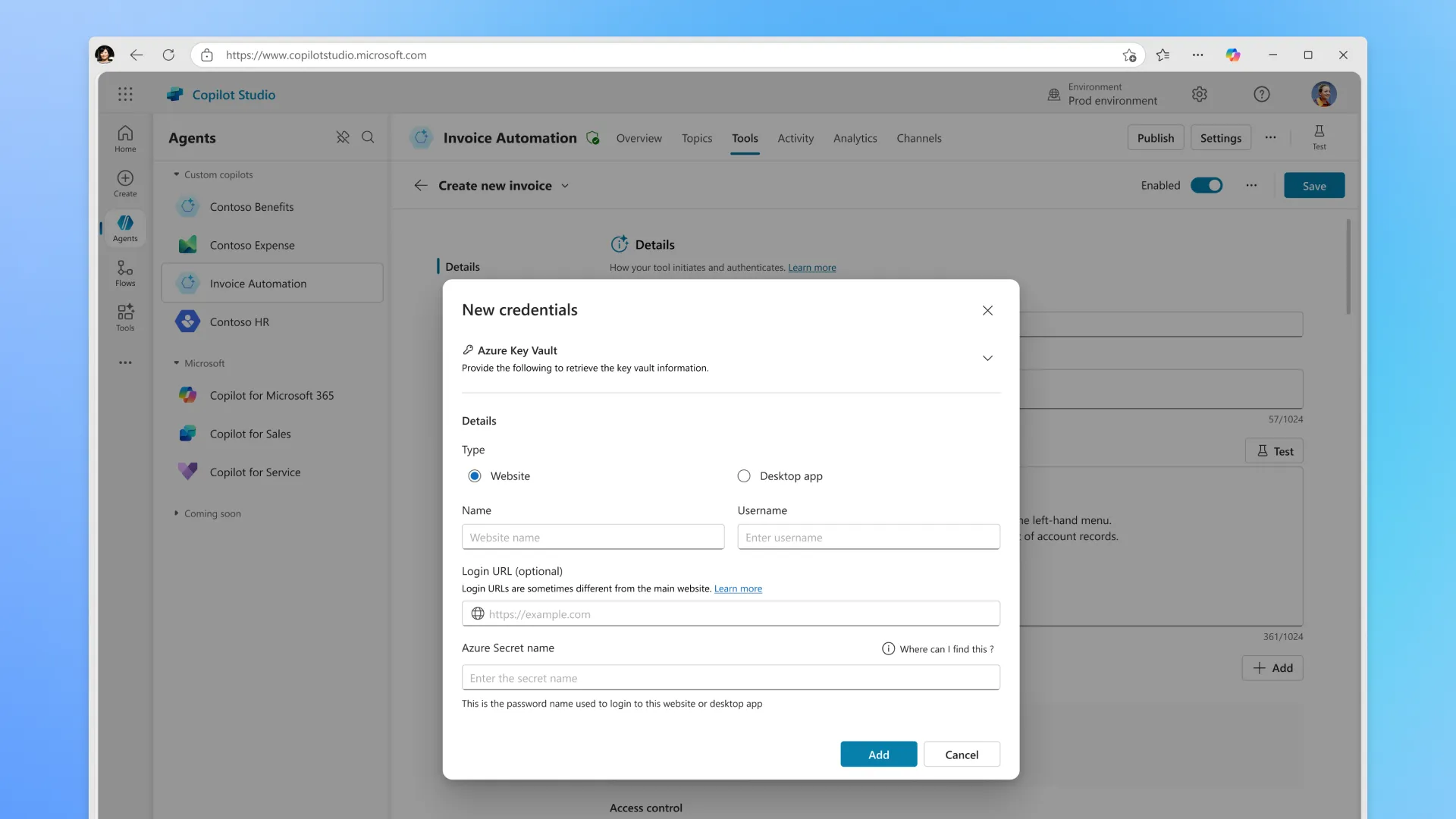
In sessions focused on whether the agent could finish the task, it was easy to miss. To me it was a glaring security problem. I raised it and pushed for a dedicated Credentials surface, backed by a secure key vault. Makers store a login once and point the agent at it. The password never appears in the instructions.
I paired credentials with allow-lists, which define exactly which sites and apps the agent is allowed to touch. If a run tries to go anywhere else, it stops.
The tradeoff was real. It meant one more setup step, and one more surface to build, on a feature whose whole pitch was “just describe the task.” I argued it was worth it: makers get a safe way to sign agents in, and IT gets a reason to approve them. That argument landed with Microsoft’s broader push on customer security. Credentials and allow-lists shipped with public preview, and the credentials design was featured in several sessions at PPCC (Power Platform Community Conference).
Store a login once and point the agent at it. The password never appears in the instructions.
First run
Making the hosted browser the default
Computer use had a hidden second user. The maker building the agent usually wasn’t the person who could set up the machine it ran on. That took an admin, with a completely different skill set. So a maker could build an agent, then get stuck on setup they didn’t know how to do.
Machine setup got easier with each release, but it was still the biggest barrier to a first run. Research also showed that most makers weren’t sure what computer use could do yet. They were trying it to find out, and they didn’t need a custom machine for that.
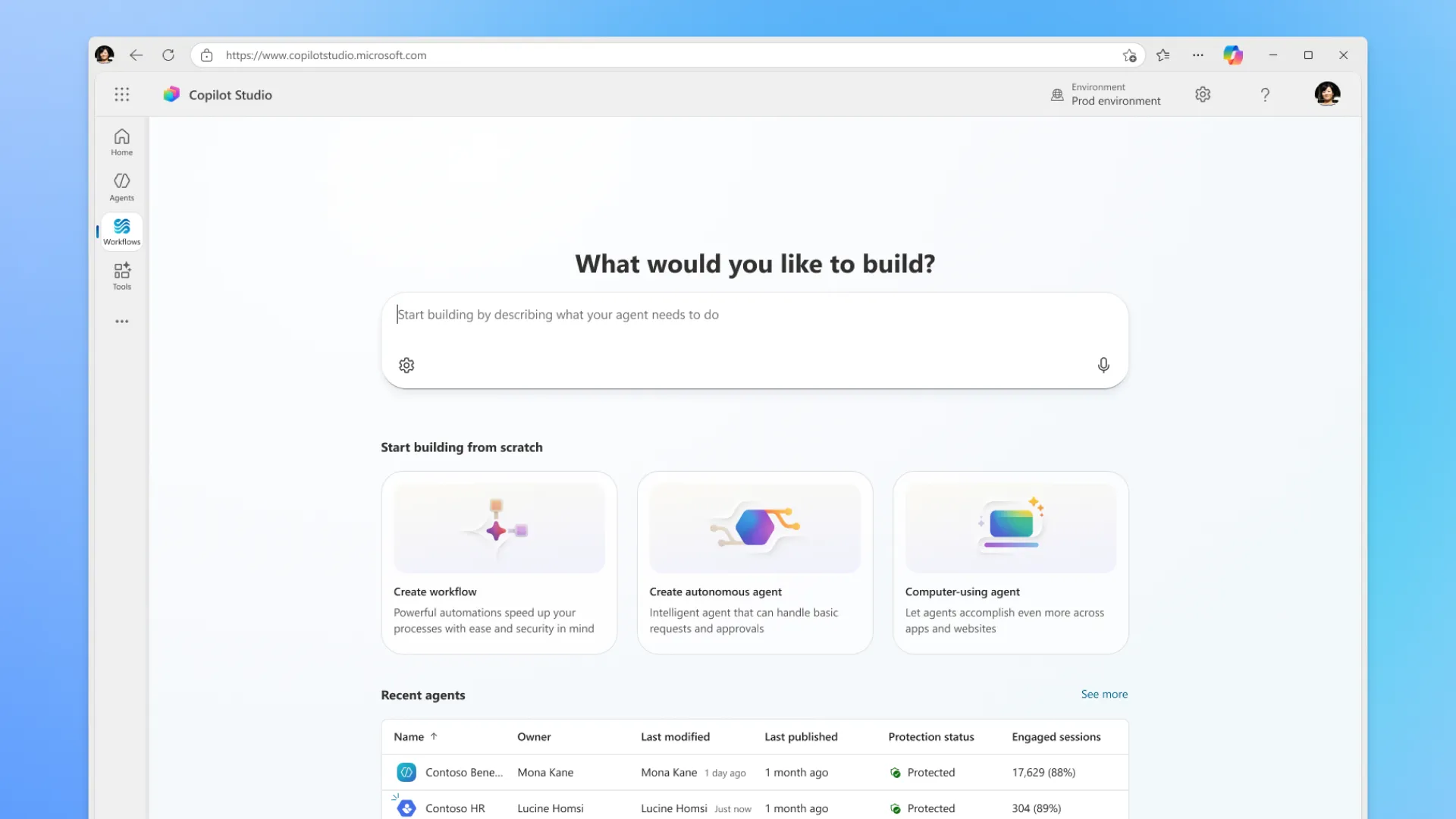
The hosted browser, powered by Windows 365, arrived in public preview as one option among several. For GA, I made it the default. Now a maker can add computer use and run it with no machine setup at all. Registering your own machine is still available for internal sites and desktop apps, but it’s no longer the first thing people hit.
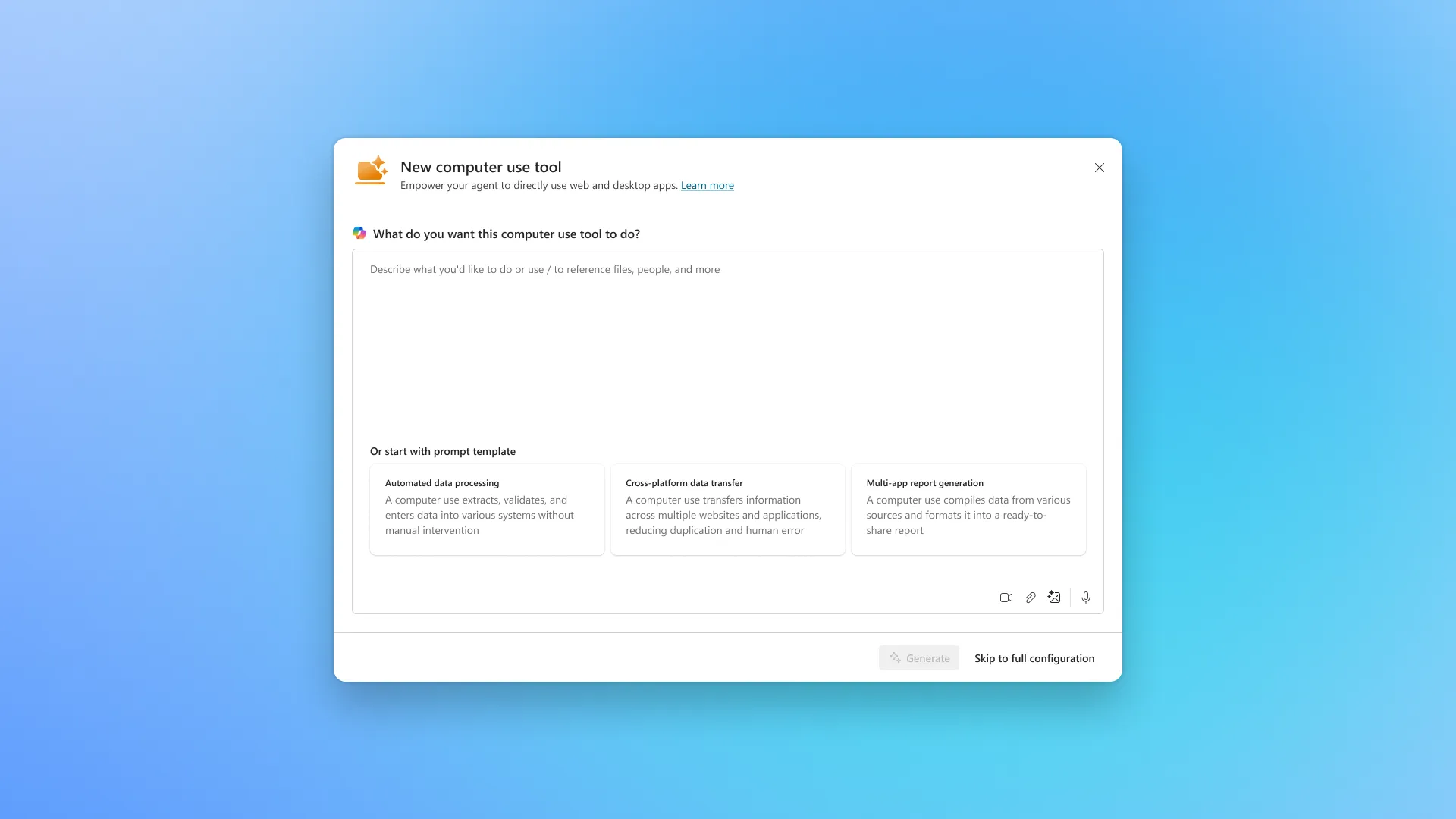
I made the first run easier in two other ways. I added structure to the instruction box (ordered and unordered lists, and clearer placeholders) and starter templates for common tasks, so people started from a good example instead of a blank box.
The tradeoff: the hosted browser limits what the agent can reach. I accepted that because the default should match what most people are actually doing, and early on, that’s exploring.
The default should match what most people are actually doing. Early on, that’s exploring.
Testing
Building testing on a pattern makers already knew
Traditional automation does the same thing every time it runs. Computer use doesn’t. Makers need to see what the agent did and why, so they can fix their instructions.
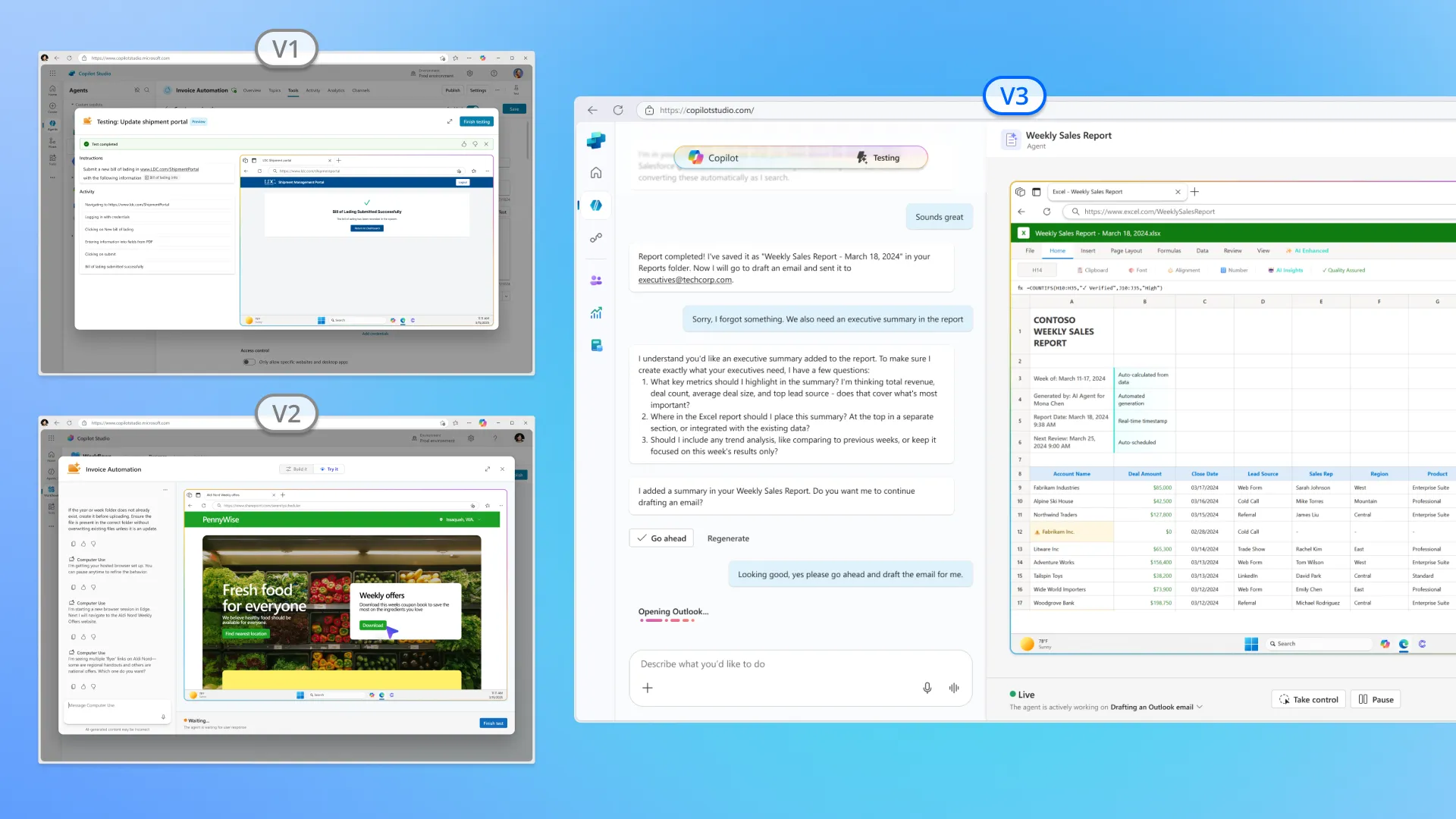
I designed several versions of the test experience. With engineering time split across feature areas, the one that shipped extended Copilot Studio’s existing tool-testing pattern. It shows the agent’s screen and its reasoning side by side. Makers can watch it work, spot the step where it went wrong, and adjust.
Building on an existing pattern kept testing shippable as priorities moved. It also meant makers didn’t have to learn a new way to test. I added the designs to Copilot Studio’s shared tools library so other teams building agent tools could use them.
Outcome
From private preview to GA in about a year
- Private preview: shipped in under 100 days.
- Public preview (September 2025): added the hosted browser, credentials, allow-lists, and starter templates.
- General availability (May 2026): the hosted browser became the default path.
- Adoption: grew steadily through public preview and GA.
- Reuse: the testing pattern became part of the shared library other Copilot Studio tools build from.
Looking back
Ship clarity first, then capability
Platform dependencies and shifting priorities forced scope cuts, especially in testing. What worked was the order we shipped in: clarity first (setup, credentials, a first run that works), then more capability.
If I did it again, I’d make human-in-the-loop states more visible earlier. After launch, it wasn’t always clear whether an agent was waiting on a person or just stuck.